Add project
Set up a devcontainer for a git repo that doesn't have one.
Choose Add project from the project picker at the top of the sidebar, Settings → Projects, or Ctrl/⌘ K. The dialog lists git repos under your project folders that have no devcontainer. Pick one and opendevhub:
- writes
.devcontainer/devcontainer.jsonwith a base image for the repo's stack, - adds the opencode v2 installer (
curl -fsSL https://opencode.ai/v2/install | bash) aspostCreateCommand, - starts the project.
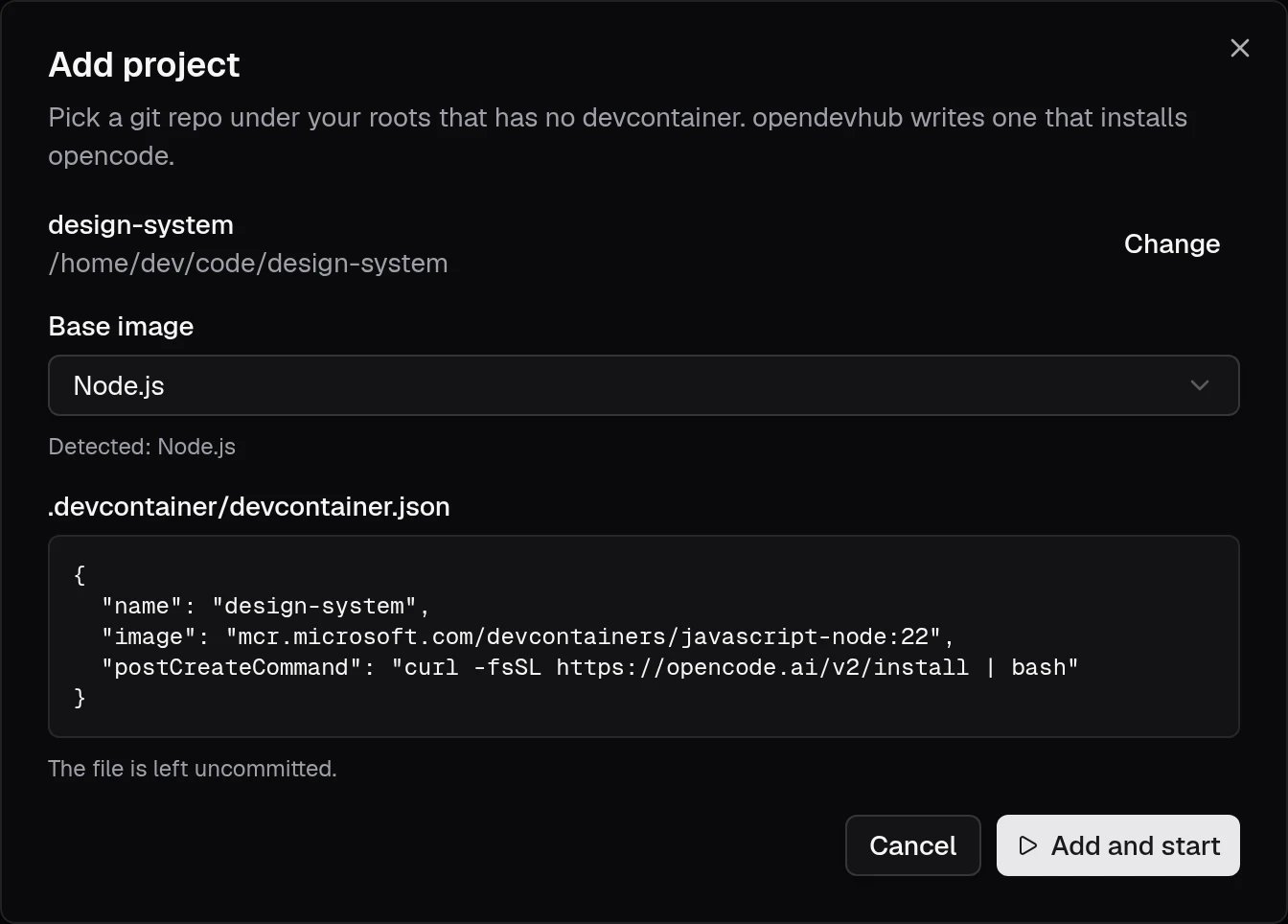
The file is left uncommitted, so you can change it, commit it or delete it.
Base images
| Found in the repo | Image (mcr.microsoft.com/devcontainers/…) |
|---|---|
package.json | javascript-node:22 |
pyproject.toml, requirements.txt, setup.py | python:3 |
go.mod | go:1 |
Cargo.toml | rust:1 |
Gemfile | ruby:3 |
pom.xml, build.gradle(.kts) | java:21 |
*.csproj, *.sln | dotnet:8.0 |
composer.json | php:8 |
| anything else | base:ubuntu |
The first match wins, and you can pick another image in the dialog.